Google Business Profile for Travel Agencies: Setup and Ranking
Written by the Rayds team · Updated
When someone searches for "travel agent near me", "Umrah packages in Mumbai" or "visa consultant near me", the first thing they usually see is not a website. It is a map and a short list of local businesses, each with a rating, a phone number and a button to call or get directions. That listing is your Google Business Profile, and for a travel agency it is often the cheapest source of ready-to-buy enquiries you can get.
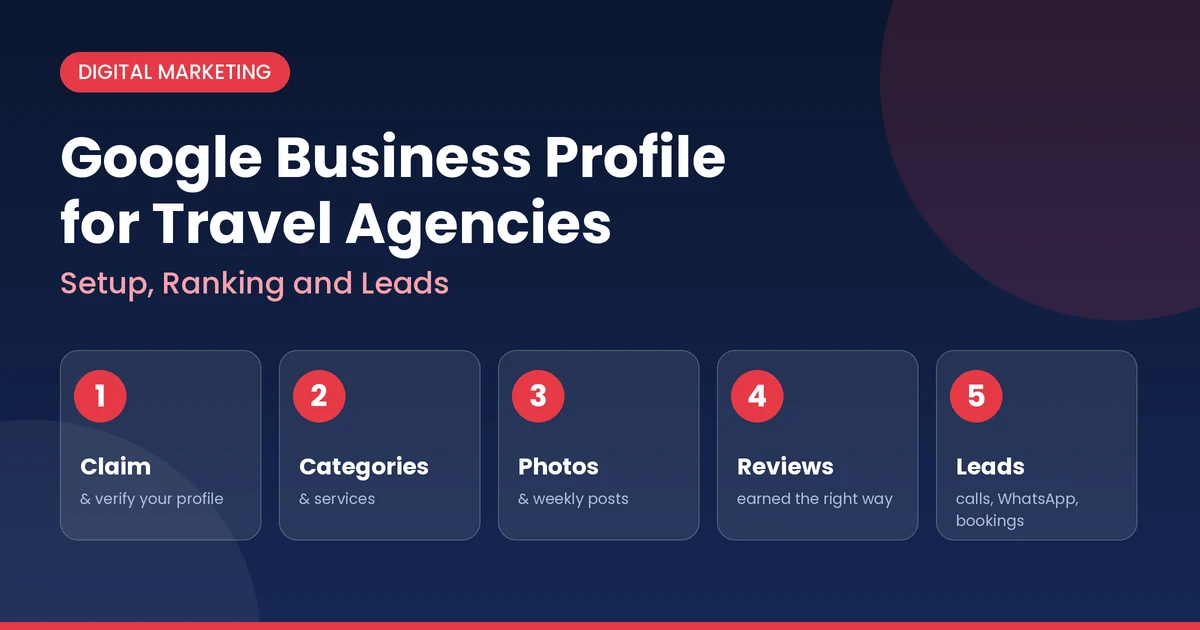
This guide shows you how to set up a Google Business Profile for a travel agency, how local ranking works, how to collect reviews the right way, and most importantly, how to turn profile views into calls, WhatsApp chats and bookings. Rayds is a white label travel portal provider, so we also cover what has to happen on your website after someone clicks through.
The short answer
Claim and verify your profile using your real business name, pick the right primary category, fill in every section, and keep your name, address and phone number identical everywhere online. Then earn prominence with genuine reviews, fresh photos and regular posts, and send visitors to a mobile-friendly page with a clear way to enquire. Google ranks local results on relevance, distance and prominence, so you can control two of the three directly.
Want a travel website that turns these clicks into bookings?
See a live B2B and B2C travel portal with flights, hotels, buses and packages already set up.
Get a Free Demo Chat on WhatsAppWhy Google Business Profile Matters for Travel Agencies
Travel is a trust purchase. People hand over large sums for trips they can't inspect in advance, so they look for signals that an agency is real, local and well reviewed. Your profile shows those signals in one place, right inside Google Search and Maps:
- Visibility: you can appear in the local results for searches that include a place or "near me".
- Trust: your rating, reviews, photos and office location answer "is this agency genuine?" before the customer calls.
- Action: call, directions and website buttons turn interest into enquiries with one tap.
- Cost: the profile is free to create and manage.
It is especially useful for agencies selling high-intent products such as Umrah and Hajj packages, visa assistance, group tours and corporate travel, where customers often prefer to talk to a local person before paying.
Are You Eligible? Shop vs Service-Area Agencies
Google profiles are meant for real businesses that deal with customers in person or travel to them. Which setup fits you depends on how you work:
| Your situation | Setup | What to show |
|---|---|---|
| Customers visit your office | Storefront listing | Your full address and opening hours |
| You serve customers at their location or online only | Service-area business | Hide the address and list the areas you serve |
| You run from home and customers don't visit | Service-area business | Hide your home address |
| You only have a virtual office or mailbox | Generally not eligible | Use a real, staffed location instead |
Create the profile for your real, physical operation. Listing an address where you have no actual presence is one of the fastest ways to get a profile suspended.
Step-by-Step Setup
- Sign in and start the profile. Use a Google account that you control and that belongs to the business, not a staff member's personal account. Search for your agency first to make sure a listing doesn't already exist. If one does, claim it instead of creating a duplicate.
- Enter your real business name. Use the name that appears on your signboard, website, visiting cards and invoices. Do not add keywords, city names, taglines, phone numbers or offers to the name. Google's guidelines don't allow it and it can get the profile suspended.
- Choose your primary category. This is one of the strongest signals for what you are. See the next section for how to choose.
- Add your address or service area. Enter your address exactly as it appears on official documents and your website. If customers don't visit you, hide the address and add the cities or regions you serve.
- Add a local phone number and your website. Use a number that rings at your business and, where possible, a local number rather than a call centre. Link to the most relevant page of your site, not a page that can't take an enquiry.
- Set your opening hours. Be accurate. Add special hours for festivals, peak seasons and holidays so customers don't call a closed office.
- Verify the profile. Until you verify, you can't fully manage or edit it. Google offers different verification methods depending on the business, such as a phone call, text, email, video or a postcard. Follow the options it shows you.
- Complete the rest. Write a clear description, list your services, upload photos and add any attributes that apply. A half-finished profile looks less trustworthy and ranks worse than a complete one.
Writing your description: in plain language, say who you serve, what you sell and what makes you different, for example the destinations you specialise in, the languages your team speaks and how long you have operated. Write for customers, not for search engines, and avoid stuffing in keywords or making claims you can't prove.
Choosing the Right Categories
Categories tell Google what kind of business you are, so they strongly affect which searches you can appear for.
- Primary category: pick the one that describes your main business. For most agencies that is the travel agency category.
- Secondary categories: add only those that truly apply, such as tour operator or a visa-related category if you genuinely offer those services.
- Don't over-add. Extra categories you don't really serve dilute your relevance and can cause problems later.
The categories available change over time and differ by country, so check the options inside your dashboard and look at what the top agencies in your area have chosen. Then add your specific offerings, such as Umrah packages, honeymoon tours or corporate travel, in the services section where it is available.
Need more than a profile? Launch your own travel booking website.
Give the customers who find you on Google a branded portal where they can search, compare and book.
Request a Demo See Our Travel PortalHow Local Ranking Works
Google says local results are based mainly on three factors. Knowing them tells you where to spend your effort.
| Factor | What it means | What you control |
|---|---|---|
| Relevance | How well your profile matches what the person searched for | Categories, services, description, website content. High control |
| Distance | How far you are from the searcher or the location in the search | Your real location and service area. Little control |
| Prominence | How well known and trusted you are, online and offline | Reviews, ratings, photos, website, mentions. Medium to high control |
You can't move your office closer to every customer, so concentrate on relevance and prominence. Be careful about promises from anyone who guarantees a number one ranking. Google doesn't sell local rankings, and results vary by searcher and location, so nobody can guarantee a position.
Optimisation Checklist to Rank Higher
Profile completeness
- Fill in every field that applies: description, hours, services, attributes, website and phone.
- Keep your name, address and phone number identical on your website, social pages and directory listings.
- Update the profile whenever anything changes, including new offices, numbers and seasonal hours.
Photos and video
- Upload your logo and a clear cover photo.
- Add photos of your office exterior and interior, your team and your counter, so customers recognise you on arrival.
- Share real trip photos and traveller moments, with the traveller's permission.
- Add new photos regularly instead of uploading everything once and stopping.
Posts and updates
- Share seasonal offers, new packages, departure dates and visa updates.
- Add a clear call to action, such as calling or messaging you, to every post.
- Post consistently, for example weekly, and time posts to booking seasons like Umrah, summer and Diwali.
Services and products
- List each service you sell, such as flight tickets, Umrah packages, visa assistance and honeymoon tours, with a short, honest description.
- Use the words customers actually search for, in the language they use.
Website and citations
- Make sure your website mentions your city, services and contact details clearly.
- List your agency in relevant, trusted directories and industry bodies, using the same details every time.
- Remove or merge duplicate listings so your reviews and signals stay in one place.
How to Get More Reviews the Right Way
Reviews are the biggest prominence signal you can build, and for a travel agency they are also the strongest trust signal for a nervous first-time buyer. Done properly, they take no more than a minute per customer.
- Create your review link. Google lets you get a direct link or QR code to your review form. Share it by WhatsApp, SMS or email, and print the QR code for your counter.
- Ask at the right moment. The best time is just after a trip goes well, such as when a traveller returns, or when their visa is approved or tickets are issued.
- Ask every customer. Google doesn't allow selectively asking only happy customers, so ask everyone.
- Reply to every review. Thank people by name and mention the trip. Answer criticism calmly and offer to fix the problem offline.
- Never buy or incentivise reviews. Discounts, gifts or freebies for reviews are prohibited and can lead to removed reviews or a suspended profile.
A simple review request you can send
"Hi [Name], thank you for booking your [destination] trip with [Agency name]. We hope it went well. If you have a minute, we'd really value your honest feedback on Google: [review link]. Thank you!"
Keep the message neutral. It asks for honest feedback, not a five-star rating, which keeps you inside Google's rules.
Turn Profile Views into Leads
Ranking only matters if people contact you. Make it easy and track what works.
- Answer fast. Travel buyers contact several agencies. The first helpful reply often wins the booking, so answer calls and messages quickly, including on weekends and in peak season.
- Offer WhatsApp. Put a WhatsApp number on your website and in your replies, because many customers prefer a quick chat to a call.
- Link to a useful page. Send the website button to a page built for enquiries, with a short form, a click-to-call button and your top packages, rather than a cluttered homepage.
- Tag your links. Add tracking parameters to the website link so your analytics show how many visitors came from the profile. For example:
?utm_source=google&utm_medium=organic&utm_campaign=gbp - Watch your performance data. Your dashboard shows how people found you and how many called, asked for directions or visited your site. Review it monthly and note which posts and services lift enquiries.
- Log every enquiry source. Ask new customers "how did you find us?" and record the answer, so you know what the profile is truly worth.
The Website Behind the Profile
A strong profile sends people to your website, and a weak website wastes them. Check that your site:
- loads quickly and works well on a phone, where most local searches happen,
- shows your address, phone number and WhatsApp number on every page,
- has a page for each major service or destination, such as Umrah packages, Dubai tours or visa help,
- lets visitors search and book online, not just read a brochure, and
- shows reviews, certifications and real photos to back up the trust the profile created.
If your site can't take online bookings, you lose customers who want to compare prices and book at midnight. A ready-made white label travel portal gives you live flights, hotels, buses and holiday packages under your own brand, with payments, GST invoicing and an agent panel already built in. You can then focus on collecting leads, not on building software. If you are still deciding how to price what you sell, our guides on travel agent markup pricing and how B2B travel agencies make money will help.
Common Mistakes to Avoid
- Stuffing keywords into the business name. "Best Cheap Umrah Packages Mumbai" is not your name and risks suspension.
- Choosing the wrong primary category, or adding many categories you don't serve.
- Using a virtual office or someone else's address.
- Buying reviews or offering rewards for them.
- Ignoring reviews, especially negative ones that deserve a calm reply.
- Letting details go out of date, such as old hours, closed branches and unreachable phone numbers.
- Creating duplicate listings instead of claiming or fixing the existing one.
- Uploading no photos, or only stock images that don't show your real office and team.
- Sending visitors to a homepage with no clear way to enquire.
A 30-Day Action Plan
| When | Focus | Tasks |
|---|---|---|
| Week 1 | Claim and verify | Check for existing listings, claim or create the profile, set the real name, category, address or service area, phone, website and hours, then verify |
| Week 2 | Complete the profile | Write the description, add services, upload 15 to 20 real photos, add tracked website link |
| Week 3 | Reviews | Create the review link and QR code, message recent happy and unhappy customers alike, reply to every review |
| Week 4 | Posts and website | Publish two to four posts, fix your site's contact details and enquiry form, add a WhatsApp button, check performance data |
After the first month, keep a simple rhythm: reply to reviews as they come in, post weekly, add photos monthly and check your numbers every month.
Frequently Asked Questions
Conclusion
A well-run Google Business Profile puts your travel agency in front of people who are already looking for what you sell, at the moment they are ready to act. Set it up with your real details, choose your categories carefully, build genuine reviews, keep the profile fresh, and send visitors to a site that makes enquiring and booking easy. Google's rules and features change, so check your dashboard and Google's current guidelines before making changes. Then keep at it, because local visibility is built over months, not days.
Ready to Turn Google Searches into Bookings?
Get a branded travel website with live flights, hotels, buses and holiday packages, a B2B agent panel, UPI payments and GST invoicing. As a white label travel portal provider, we can show you a working portal before you commit.
Request Free Demo Chat on WhatsApp